Apple Creator Studio – What Is It and How Does It Work?
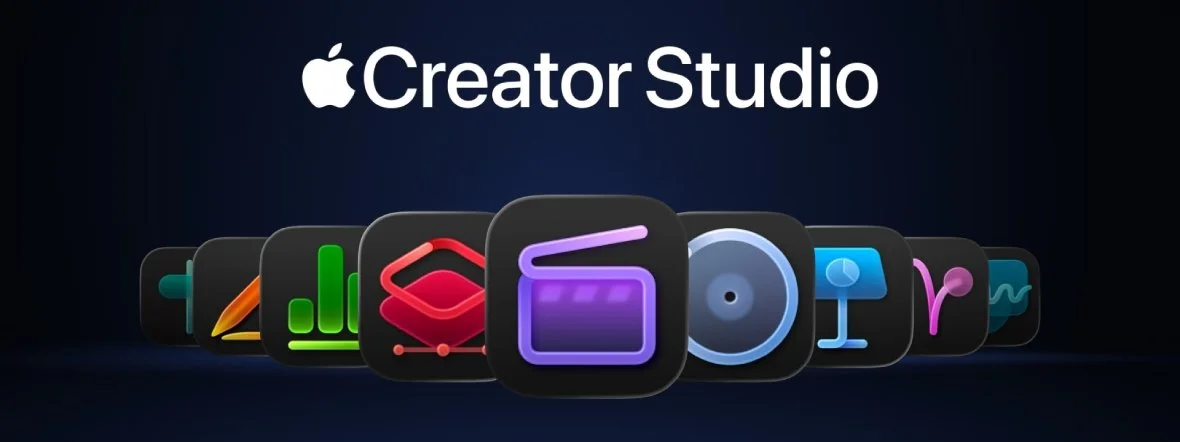
Apple Creator Studio brings some of Apple’s most powerful creative apps together under one roof. The service includes professional tools for video editing, music production and graphic design, such as Final Cut Pro, Logic Pro and Pixelmator Pro. In addition to software for Mac and iPad, subscribers get exclusive AI-powered features and extra creative resources inside Apple’s iWork apps.
What is Apple Creator Studio?
After years of speculation and Apple’s recent acquisition of Pixelmator, the company has finally completed its professional creative software ecosystem. Apple Creator Studio isn’t just another bundle of apps – it’s also a fairly clear message to Adobe: we can do this too, but with tighter integration across Apple devices and a much lower subscription price.
Ever since the first Apple Silicon chips arrived, users have been waiting for software capable of taking full advantage of all that hardware. Logic Pro and Final Cut Pro have long been among Apple’s flagship tools for audio and video professionals, but there was still one obvious gap: a graphics application capable of genuinely competing with Photoshop and Adobe’s subscription ecosystem.
Apple addressed that gap in January 2026 with the launch of Apple Creator Studio. It’s a complete creative toolkit designed to make life easier for musicians, designers and filmmakers.
It also makes it much easier to move your workflow between a Mac and an iPad, adds a range of advanced AI tools and introduces an important new member of the family: Pixelmator Pro for iPad.
In other words, your iPad has one less excuse for spending its life mostly running YouTube and Netflix.
What’s included in the package?
Apple Creator Studio is a comprehensive toolkit covering video, audio, graphics and productivity. Importantly, many of its apps now offer much tighter project synchronisation between macOS and iPadOS.
The subscription includes:
Final Cut Pro – an advanced video-editing application for Mac and iPad;
Logic Pro – a professional music creation and mixing application for Mac and iPad;
Pixelmator Pro – a graphics and photo editor for Mac and iPad;
Motion – a tool for animation and visual effects on Mac;
Compressor – an application for exporting and optimising video on Mac;
MainStage – a live-performance tool for musicians on Mac.
Bonus: premium content and AI features
Although Keynote, Pages, Numbers and Freeform remain free Apple apps, Creator Studio subscribers also get access to intelligent tools, templates and content libraries that aren’t available to regular users.
How much does Apple Creator Studio cost?
Apple Creator Studio uses a subscription model with monthly and annual options:
$12.99 per month
$129 per year
Importantly, the package can be shared with up to six people through Family Sharing. Students and teachers can also take advantage of education pricing, bringing the cost down to $2.99 per month or $29.99 per year.

Apple also offers a one-month free trial for new users. Buyers of selected Mac computers or iPads may receive up to three months of the full subscription free of charge.
You can find the best Apple tablet models in our iPad ranking.
How to activate Apple Creator Studio
Activating Apple Creator Studio is straightforward and can be done directly through the App Store:
Open the App Store on your Mac, iPad or iPhone.
Search for one of the apps included in the package, such as Final Cut Pro or Logic Pro.
On the app page, you should see the option to Subscribe to Apple Creator Studio. Select it, choose your plan and confirm the subscription.
Once activated, all apps included in the package will be unlocked and ready to use.
You may also be able to start the subscription directly from Pages, Keynote or Numbers if one of these apps displays a notification about Creator Studio premium features.
Apple Creator Studio apps – tools for creators
Apple Creator Studio is a collection of professional applications aimed at creators, freelancers, small teams and digital-production enthusiasts.
Many of these tools work on both a MacBook and an iPad, while subscribers also gain access to exclusive AI-assisted features and expanded content libraries that aren’t available in the standard versions.
Final Cut Pro
Final Cut Pro has long been one of Apple’s flagship professional video-editing tools, allowing creators to build complex, high-quality projects.
With Creator Studio, Apple is putting even more emphasis on intelligent editing. The idea is simple: let AI deal with some of the repetitive work so the person behind the keyboard can spend more time actually telling a story – and slightly less time staring at a timeline wondering where that one three-second clip went.
Intelligent search powered by AI: features such as Transcript Search and Visual Search can locate a particular sentence in an hour-long interview or find a shot containing a specific object within seconds. AI analyses your footage and effectively lets you search it almost like you would search the web.
Editing to the beat: the new Beat Detection feature automatically adds a beat grid to the timeline, making it much easier to cut footage in sync with music.
A mobile editing upgrade on iPad: the Montage Maker feature can automatically create an edit from the best parts of your footage, while Auto Crop intelligently converts horizontal video into vertical formats while keeping the most important subject in frame. That makes it particularly useful for Reels, TikToks and other vertical content.
Effects and export:Motion adds a new Magnetic Mask feature for isolating objects without a green screen, while Compressor helps make sure the final file is properly optimised for publishing.
Logic Pro
For subscribers, Logic Pro becomes much more than a sophisticated digital recording studio. It also acts as an intelligent partner during the composing and music-production process.
Virtual session musicians: the existing virtual musicians are joined by Synth Player, an AI-powered tool capable of generating synthesiser and bass parts while responding to your suggestions about musical style and intensity.
Chord ID – your personal music-theory expert: this feature automatically identifies chords in any audio or MIDI recording, removing the need for manual transcription and making it easier to build the rest of an arrangement around them.
Natural-language library search: on iPad, Logic Pro lets you search for samples and loops descriptively. Instead of digging through endless tags and filters, you can simply describe the mood or type of sound you’re looking for.
From the studio to the stage: the included MainStage app brings your studio sounds and virtual instruments directly into a live environment, effectively turning your Mac into a powerful effects processor and performance instrument.
Pixelmator Pro
The full integration of Pixelmator Pro into Apple’s ecosystem is one of the biggest additions to Creator Studio – and arguably the piece that finally fills the graphics-shaped hole in Apple’s professional software lineup.
Within Creator Studio, Pixelmator Pro gets a modern Liquid Glass design, an advanced Warp tool for reshaping layers and Warp-powered mockups, designed to simplify the creation of product and clothing visualisations.
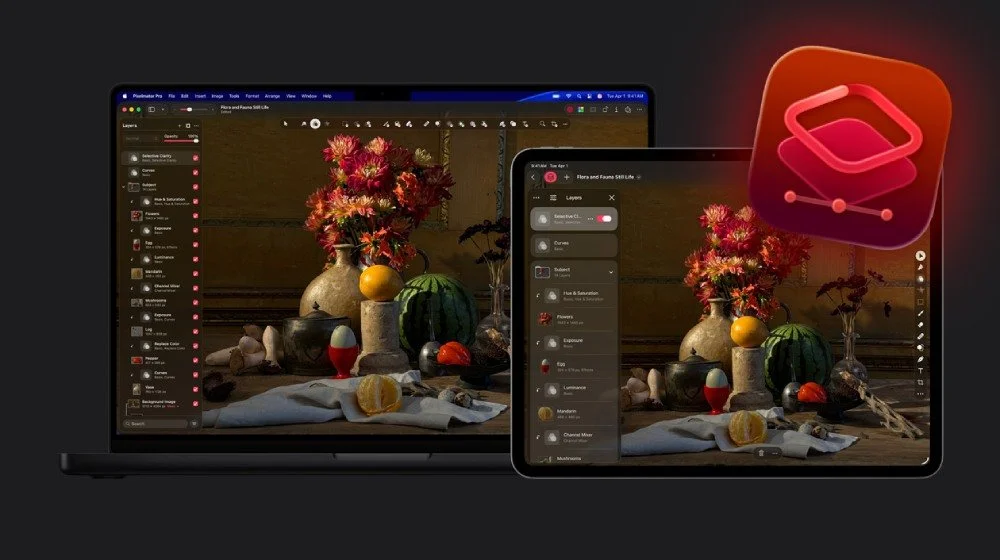
Pixelmator Pro comes to iPad: for the first time, Pixelmator Pro is available on Apple tablets as a full-featured application. It includes a complete layers panel supporting images, text and even video, along with an interface designed specifically for touch controls.
AI processing power: Pixelmator Pro uses Apple’s Neural Engine for features such as Super Resolution, which intelligently enlarges images while preserving detail, Deband, designed to remove compression artefacts, and Warp, which allows graphic elements to be reshaped freely.
Apple Pencil precision: the app takes full advantage of newer Apple Pencil features, including squeeze gestures, double tap and hover functionality, making retouching and editing considerably more intuitive.
For some users, it might even be more intuitive than a mouse – although graphic designers who have spent 15 years memorising Photoshop shortcuts may need a moment to emotionally process that statement.
iWork: Pages, Keynote, Numbers and Freeform
The iWork suite gains a centralised content hub as part of Creator Studio, offering curated royalty-free photography and premium templates.
Subscribers can generate and modify AI images directly inside their documents.
In Keynote, artificial intelligence can help create slides and presenter notes. Meanwhile, Numbers includes a Magic Fill feature that analyses patterns and trends in data and suggests ways to automatically complete missing information in spreadsheets.

Frequently Asked Questions (FAQ)
What is Apple Creator Studio used for?
Apple Creator Studio is a subscription package containing professional tools for video editing, music production, graphic design and creating presentations and documents.
Apple designed the service primarily for creators who want to work within a single, integrated ecosystem across Mac and iPad while also gaining access to additional AI-powered tools.
Who is Apple Creator Studio for?
The package is designed for video creators, musicians, graphic designers, freelancers, small creative teams and people producing content for the internet.
It can be used for both professional commercial projects and more ambitious hobby projects.
Can anyone use Apple Creator Studio?
Yes. Anyone with a compatible Apple device such as a Mac or iPad and an active Apple ID can subscribe to the service.
Apple Creator Studio isn’t limited to companies or professional studios.
Is Apple Creator Studio free?
No. Apple Creator Studio is a subscription service.
However, Apple offers a free trial for new users as well as promotional free periods when purchasing selected Mac computers and iPads.
Compared with the packages offered by Adobe, Apple Creator Studio is also considerably cheaper.
Is Apple Creator Studio good for beginners?
Yes. Although the bundle contains professional-grade software, many of its automated and AI-powered features – including intelligent video editing, automatic chord recognition and AI-assisted graphics tools – make it considerably easier for beginners to get started.
At the same time, experienced creators still get the advanced functionality they would expect from Apple’s professional applications.
Does Apple Creator Studio make sense in a world of subscriptions?
With services such as Adobe Creative Cloud Pro costing almost $69.99 per month for a full package of creative applications, Apple Creator Studio looks like a compelling lower-cost alternative for people who already do most of their creative work on Apple devices.
For hobbyists, freelancers, content creators and smaller teams that need convenient access to video, audio and graphics software, the subscription may be simpler and cheaper than purchasing each application separately or paying for more expensive competing services.
That said, anyone suffering from subscription fatigue – and at this point there should probably be a subscription just to manage all your other subscriptions – still has another option.
Apple continues to offer one-time purchases of selected applications. The downside is that these versions don’t include some of the AI features and premium content available exclusively through Apple Creator Studio.
And if you’re thinking about buying a new Apple computer for work or entertainment, take a look at our guide to which MacBook to buy – Air or Pro to find out which model best suits your needs.
