A good streaming device can make an older TV feel new again, and it can even fix a slow, ad-heavy smart TV interface. The tricky part is that 2026 has been a strange year for this category. Apple released a brand-new Apple TV 4K, Amazon moved its newest Fire TV sticks to a completely new operating system, and almost every brand raised prices because of rising memory costs. Here are the eight streaming devices we think are worth buying right now, from budget sticks around $60 to premium boxes for home theater fans.
| Rank | Model | Best for | Rating |
|---|---|---|---|
| 1 | Roku Ultra | Best overall | 9.4/10 |
| 2 | Apple TV 4K (2026) | Best premium pick | 9.3/10 |
| 3 | Amazon Fire TV Stick 4K Max | Best streaming stick | 9.1/10 |
| 4 | Google TV Streamer | Best for Google and smart home users | 8.9/10 |
| 5 | Roku Streaming Stick 4K | Best Roku stick with Dolby Vision | 8.6/10 |
| 6 | Amazon Fire TV Stick 4K (2026) | Best for Prime Video and Alexa | 8.5/10 |
| 7 | Roku Streaming Stick Plus | Best budget 4K stick | 8.3/10 |
| 8 | Nvidia Shield TV Pro | Best for Plex and power users | 8.0/10 |
1. Roku Ultra – best overall
Pros:
- Simple, neutral interface that works with every service
- Dolby Vision, HDR10+ and HLG support
- Wi-Fi 6 and Ethernet port
- Backlit, rechargeable remote with a lost remote finder
Cons:
- List price went up from $99.99 to $149.99 in 2026
- No smart home hub features like Thread or Matter
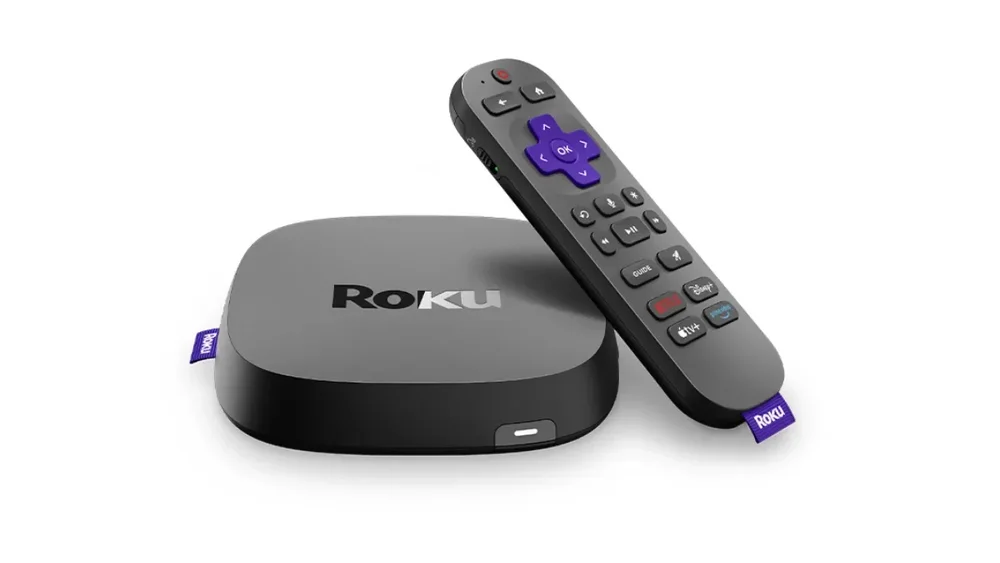
The Roku Ultra (2024) is the streaming box we would recommend to most people, and the main reason is that it does almost everything well without asking you to buy into any ecosystem. Roku's interface is still the simplest one on the market: a clean grid of apps, no huge ads taking over the home screen and a search that shows you where a movie is streaming and how much it costs on each service. It supports every major HDR format, including Dolby Vision and HDR10+, so you get the best possible picture whether you own an LG, Samsung, Sony or TCL TV.
The hardware is also well thought out. Roku says this model is up to 30% faster than previous Roku players, and you get Wi-Fi 6 plus an Ethernet port for a stable connection when you stream 4K content. The included Voice Remote Pro is a highlight: it has backlit buttons, a USB-C rechargeable battery, hands-free voice commands and a lost remote finder that makes the remote play a sound.
The biggest downside is the price. After Roku's price increase this summer, the Ultra costs $50 more than it used to, so we recommend waiting for a deal, which happens often.
2. Apple TV 4K (2026) – best premium streaming box
Pros:
- Fastest streaming device on the market (A19 chip)
- Hands-free Siri with built-in microphones
- Wi-Fi 7, Ethernet, Thread and AV1 decoding
- No ads on the home screen
Cons:
- Very expensive at $299
- No improvement in picture quality over the previous model
- Best features only make sense with other Apple devices
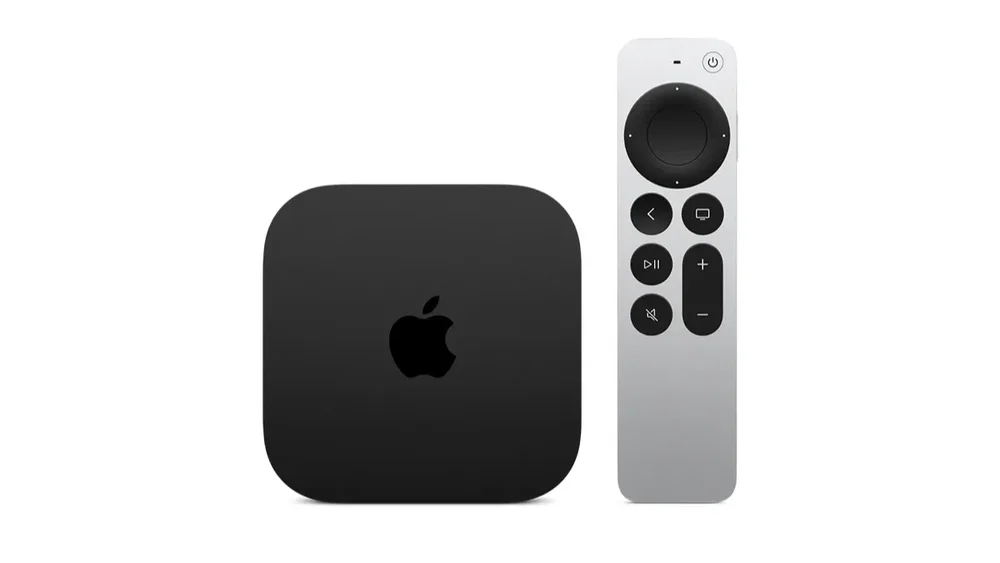
Apple announced the new Apple TV 4K in October 2026, and it is easily the most powerful streaming box you can buy. It runs on the A19 chip, which Apple says offers up to 50% faster CPU performance and twice the graphics performance of the previous model, so it handles games and apps better than anything else on this list. There is now only one version, with 128 GB of storage, Wi-Fi 7, Bluetooth 6, an Ethernet port, a Thread radio for smart home devices and a dedicated AV1 decoder.
The biggest change is in how you control it. Three built-in far-field microphones let you talk to Siri without picking up the remote, and the redesigned remote has a small speaker that helps you find it when it slips between the couch cushions. If you own HomePod speakers, you can now build a four-speaker surround setup with HomePod mini 2 or second-generation HomePod. The tvOS interface is still the fastest and cleanest in the business, with no ads on the home screen.
The catch is the price. At $299, it costs twice as much as most competitors, and video quality is the same 4K at 60 fps with Dolby Vision and Dolby Atmos as on the older model. If you live in the Apple ecosystem, use AirPlay and FaceTime on the TV, or plan to play games, it is the best streaming box you can get. If you are still deciding which iPhone fits that setup, see our guide comparing every iPhone model you can buy in 2026.
3. Amazon Fire TV Stick 4K Max – best streaming stick
Pros:
- Dolby Vision, HDR10+ and Dolby Atmos decoding
- Wi-Fi 6E and 16 GB of storage
- Runs Fire OS with the full app library and sideloading
- Great Alexa integration
Cons:
- Interface is full of ads and Amazon promotions
- List price increased from $59.99 to $84.99

If you prefer a stick that hides behind your TV instead of a separate box, the Fire TV Stick 4K Max is our top choice. It is the only current Fire TV stick that supports Dolby Vision, HDR10+ and full Dolby Atmos decoding, so you get the best picture and sound that Amazon offers. It also has Wi-Fi 6E, 16 GB of storage for apps and a fast processor that keeps the interface smooth, and the Ambient Experience can turn your TV into a digital photo frame when you are not watching anything.
There is one more reason to consider the 4K Max right now. It is the last Fire TV stick that runs on the Android-based Fire OS, while Amazon's newest sticks use its own Vega OS. In practice, this means it still has the full app library, including Plex, Kodi and Jellyfin, and still lets you sideload apps. Amazon has promised security updates for it through 2030.
The downside is that the Fire TV interface is quite busy, with large ads and Amazon content promoted on the home screen, and the list price went up by $25 in August 2026.
4. Google TV Streamer – best for Google and smart home users
Pros:
- Google TV interface with excellent recommendations
- Works as a smart home hub with Thread and Matter
- Dolby Vision, HDR10+, Dolby Atmos and Ethernet
- Remote finder button on the box
Cons:
- Expensive after the $50 price increase
- 2024 hardware with a successor rumored
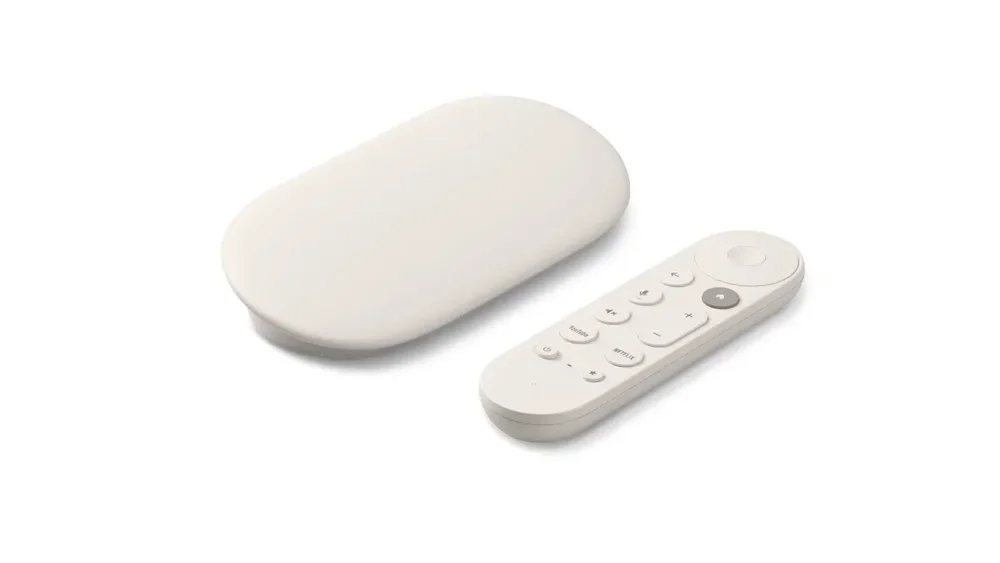
The Google TV Streamer replaced the Chromecast in 2024, and it is the best way to get Google TV on a TV that doesn't have it built in. If you are not sure how Google TV differs from older Android TV models, we explain it in our article on the differences between Android TV and Google TV. The big advantage of Google TV is content discovery: the home screen gathers shows from all your services, gives personal recommendations and includes free live TV channels.
What makes it different from other streaming devices is the smart home side. The Streamer works as a Google Home hub with Thread and Matter support, and you can open a smart home panel on your TV to check cameras, turn off lights or change the thermostat. It also has a button on the box that makes the remote ring when you lose it.
The main problem is value. Google raised the price from $99.99 to $149.99 at the end of August 2026, and the hardware is now two years old. There are also reports that a new model is in development, so if you are not in a hurry, it may be worth waiting.
5. Roku Streaming Stick 4K – best Roku stick with Dolby Vision
Pros:
- Dolby Vision and HDR10+ in a small stick
- Simple, ad-light Roku interface
- Long-range Wi-Fi receiver
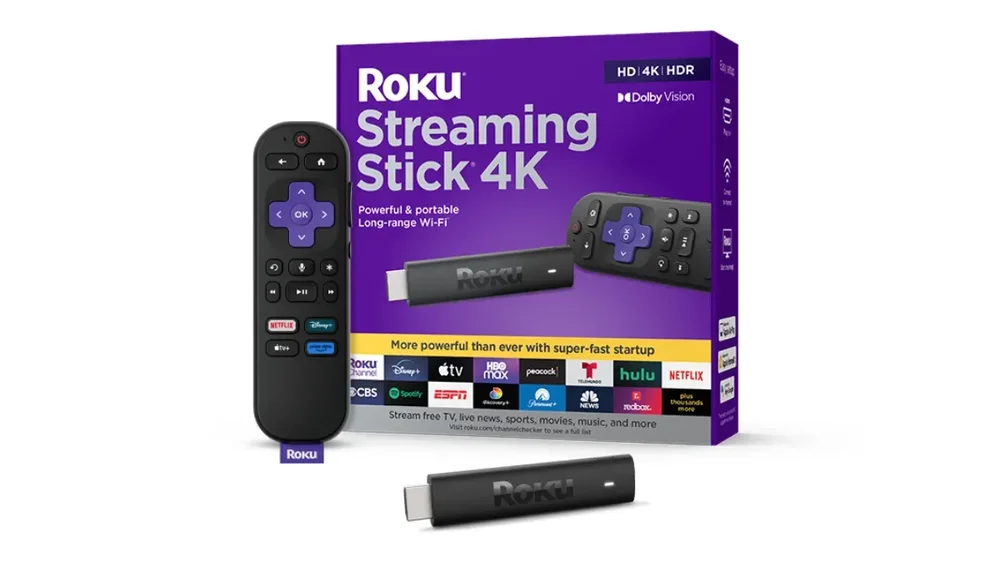
The Roku Streaming Stick 4K gives you the same simple Roku experience as the Ultra in a compact stick that plugs straight into your TV's HDMI port. Unlike the cheaper Streaming Stick Plus, it supports Dolby Vision as well as HDR10+, which makes a real difference if you own an OLED or a Mini LED TV that can show it. If you are not sure what your TV supports, our explainer on how LED, OLED and QLED displays differ is a good place to start.
It uses a long-range Wi-Fi receiver, which helps when your router is in another room, and it includes a voice remote that can also control your TV's power and volume. The hardware is older and not as fast as the Ultra or the Fire TV Stick 4K Max, and its list price jumped from $49.99 to $79.99 this year, so it only makes sense when it is on sale.
6. Amazon Fire TV Stick 4K (2026) – best for Prime Video and Alexa
Pros:
- Fast and responsive thanks to Vega OS
- Wi-Fi 6, AV1 support and USB power from the TV
- Improved remote with TV and soundbar control
Cons:
- No Dolby Vision and no Dolby Atmos decoding
- No sideloading and a smaller app library than Fire OS
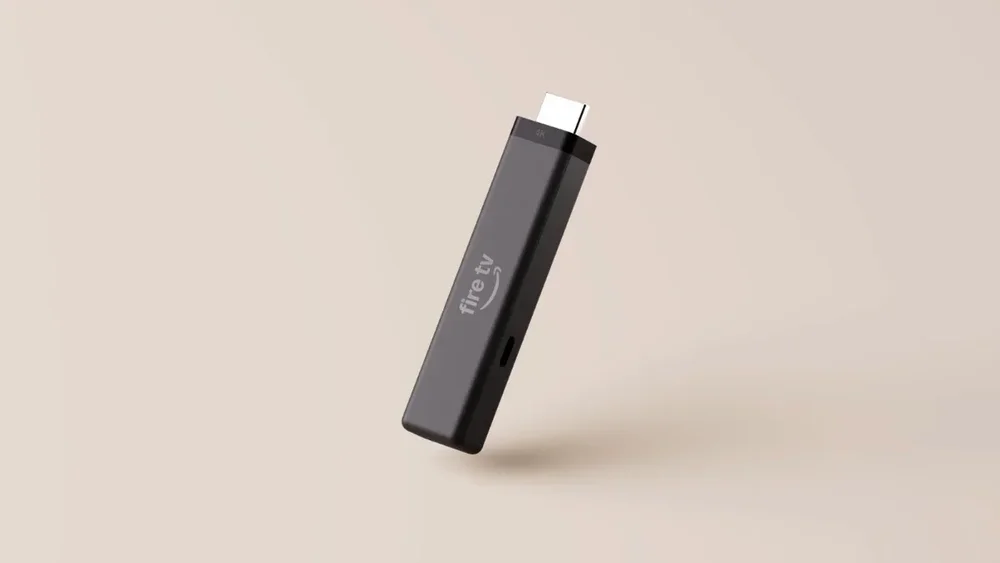
Amazon released the new Fire TV Stick 4K at the end of September 2026, and it is the first mainstream Fire TV stick built on Vega OS, Amazon's own Linux-based system that replaces Android. The result is a noticeably faster stick: Amazon says apps launch more than 35% faster than before. It is also smaller, supports Wi-Fi 6 and AV1, and can be powered directly from your TV's USB port. The new remote has a more comfortable asymmetric shape, a customizable button and IR control for your TV and soundbar.
There are a few compromises. This stick doesn't support Dolby Vision, so Dolby Vision content falls back to HDR10, and Dolby Atmos only works through passthrough to a compatible soundbar or receiver. Because of Vega OS, you cannot sideload apps, and some enthusiast favorites like Kodi and Jellyfin are not available. For people who mainly watch Prime Video, Netflix and YouTube, these limits won't matter, and the stick is often heavily discounted for Prime members.
7. Roku Streaming Stick Plus – best budget 4K stick
Pros:
- Affordable 4K HDR streaming
- Powered from the TV's USB port
- Very easy to use
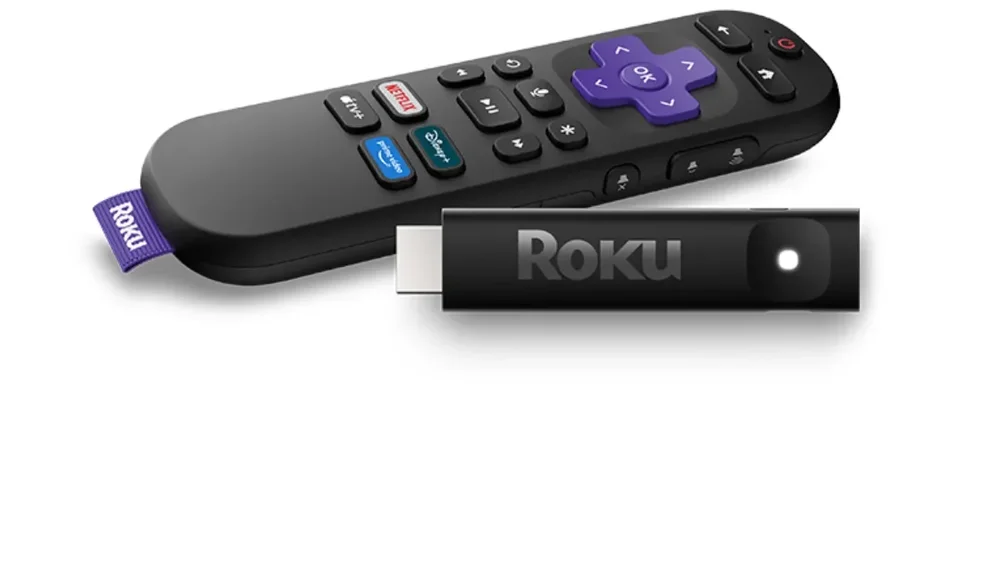
The Roku Streaming Stick Plus is a simple and affordable way to add 4K streaming to an older TV, a bedroom TV or a projector. It supports 4K HDR with HDR10+ and HLG, and it can be powered from your TV's USB port, so the setup is very clean. The remote is small but practical, with shortcut buttons for popular services, voice search and buttons for your TV's power and volume.
The trade-offs are clear: there is no Dolby Vision, no Dolby Atmos and only Wi-Fi 5. If you have a high-end TV and a soundbar, you will get more from the Roku Streaming Stick 4K or the Fire TV Stick 4K Max. But for basic 4K streaming on a budget TV, it is hard to beat, and Roku's interface is easy enough for anyone in the family to use.
8. Nvidia Shield TV Pro – best for Plex and power users
Pros:
- Excellent for Plex, Kodi and local media playback
- AI upscaling for HD content
- Two USB 3.0 ports and Gigabit Ethernet
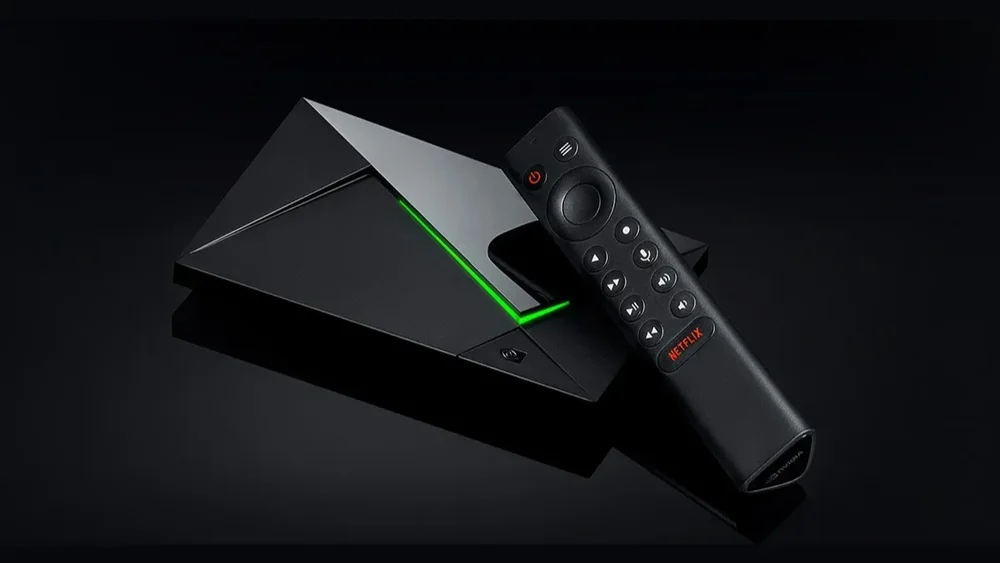
The Nvidia Shield TV Pro first came out in 2019, and it is still a favorite among home theater fans. It runs Android TV, and it is one of the best devices for running a Plex Media Server, playing high-bitrate files from a network drive and streaming games through GeForce NOW. Its AI upscaling makes HD content look sharper on a 4K TV, and you also get two USB 3.0 ports and Gigabit Ethernet. If you keep your movie library on a home server, read our guide that explains what a NAS is and how to choose one.
The problem is the price. In October 2026, Nvidia raised the Shield TV Pro to $299, and the cheaper non-Pro model has been discontinued. The hardware is now seven years old, it doesn't support AV1 or HDR10+, and its Wi-Fi is slower than on newer devices. It is still the right choice for people who need Plex server features, local file playback and USB storage, but most people will be happier with the Roku Ultra or Apple TV 4K.
Streaming devices compared – specs table
Here is a quick comparison of the most important specs of every device in our ranking.
| Device | List price | HDR formats | Dolby Atmos | Connectivity | Best for |
|---|---|---|---|---|---|
| Roku Ultra | $149.99 | Dolby Vision, HDR10+, HDR10, HLG | Yes | Wi-Fi 6, Ethernet | Most people |
| Apple TV 4K (2026) | $299 | Dolby Vision, HDR10+, HDR10, HLG | Yes | Wi-Fi 7, Ethernet, Thread | Apple users, gaming |
| Fire TV Stick 4K Max | $84.99 | Dolby Vision, HDR10+, HDR10, HLG | Yes | Wi-Fi 6E | Best stick overall |
| Google TV Streamer | $149.99 | Dolby Vision, HDR10+, HDR10, HLG | Yes | Wi-Fi 5, Ethernet, Thread | Google and smart home users |
| Roku Streaming Stick 4K | $79.99 | Dolby Vision, HDR10+, HDR10, HLG | Passthrough | Wi-Fi 5 (long-range) | Roku fans with a Dolby Vision TV |
| Fire TV Stick 4K (2026) | $59.99 | HDR10+, HDR10, HLG | Passthrough | Wi-Fi 6 | Prime Video and Alexa users |
| Roku Streaming Stick Plus | $59.99 | HDR10+, HDR10, HLG | No | Wi-Fi 5 | Budget 4K streaming |
| Nvidia Shield TV Pro | $299 | Dolby Vision, HDR10, HLG | Yes | Wi-Fi 5, Gigabit Ethernet, 2x USB 3.0 | Plex and power users |
How to choose the right streaming device
The best streaming device for you depends less on raw specs and more on your TV, your other devices and the services you use every day. Before you buy, it is worth thinking about a few things.
Check what your TV supports
There is no point paying extra for Dolby Vision if your TV can't display it. Most mid-range and premium TVs from LG, Sony, TCL and Hisense support Dolby Vision, while Samsung TVs use HDR10+ instead. If you are planning to buy a new TV as well, our ranking of the best OLED TVs of 2026 and our guide to choosing the right TV size for your viewing distance will help you pick the right screen first.
Pick the ecosystem you already use
If your household uses iPhones, the Apple TV 4K is the most seamless choice thanks to AirPlay, iCloud Photos and FaceTime on the TV. If you rely on Google Home, Nest cameras or Android phones, the Google TV Streamer fits naturally. If you have Alexa speakers and Prime Video, a Fire TV stick makes the most sense. Roku is the most neutral option and works well for families with mixed devices.
Stick or box?
Sticks are cheaper, hide behind the TV and are great for travel or a second TV. Boxes like the Roku Ultra, Apple TV 4K and Google TV Streamer are usually faster, have more storage and include an Ethernet port, which gives you a more stable connection for 4K streaming. If your router is far from the TV and you can't use a cable, look for Wi-Fi 6 or newer.
Don't ignore the remote
You will use the remote every single day, so features like backlit buttons, a rechargeable battery, TV volume control and a remote finder make a bigger difference than you might expect. The Roku Ultra, Apple TV 4K and Google TV Streamer all help you find a lost remote with a sound.
Wait for a deal if you can
Almost every device in this ranking got more expensive in 2026, mostly because of higher memory prices. At the same time, streaming devices are among the most discounted products during Prime Day, Black Friday and the holiday season, so it rarely makes sense to pay full list price for a Roku or Fire TV device.
FAQ
Do I need a streaming device if I have a smart TV?
Not always, but it often helps. Smart TV systems can become slow after a few years, and some lose support for newer apps. A streaming device is an inexpensive way to get a faster interface, better app support and regular updates. If you are thinking about a new TV instead, our overview of the most popular TV brands and their smart TV systems explains what each brand offers.
What is the best streaming device in 2026?
For most people, the Roku Ultra is the best overall choice thanks to its simple interface, full HDR support and excellent remote. Apple users who want the best performance should choose the new Apple TV 4K, and the Fire TV Stick 4K Max is the best streaming stick.
What is the difference between Fire OS and Vega OS?
Fire OS is Amazon's older system based on Android, and it supports the full Fire TV app library and sideloading. Vega OS is Amazon's new Linux-based system used on newer sticks like the Fire TV Stick 4K (2026). It is faster, but it doesn't allow sideloading and some apps are not available yet.
Is the new Apple TV 4K worth $299?
Only if you will use its extra features, like hands-free Siri, HomePod surround sound, gaming or smart home control with Thread. Picture quality is the same as on the previous model, so if you only want to stream movies and shows, a cheaper device will give you the same image.
Do streaming devices have monthly fees?
No. You pay once for the device, and you only pay for the streaming services you subscribe to, like Netflix, Disney+ or HBO Max. Many devices also offer free ad-supported channels, such as The Roku Channel, Google TV Freeplay and Amazon's free content on Fire TV.
